Disk Drive
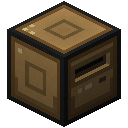
The disk drive provides an option for quick media exchange. Floppy disks can be added and removed
at runtime, unlike hard drives.
Note that it is highly advisable to explicitly unmount your floppy before removing it from the drive to avoid data loss.
On a Linux system, disk drives will typically appear as
/dev/vdX devices, following any installed hard drives. Theyare not automatically formatted or mounted, but will only appear as raw block devices. To use them, you'll need to
configure them, first. For example, on the default Linux distribution, the following commands will be useful:
-
mke2fs /dev/vdX to format a floppy disk. Run this when first installing the disk. Will erase data on floppy!-
mount /dev/vdX <mount directory> to mount a floppy disk after formatting it. Make sure the directory you want tomount it to exists and is empty.
-
umount <mount directory> to unmount a floppy disk. Make sure to run this before removing the floppy from the diskdrive, to avoid data loss.
On a CP/M system, drives are lettered in the order they are found, starting at
A:. The disk the machine booted from always comes first.Computers have to be shut down before installing or removing this component. Installing it while the computer is
running will have no effect, removing it may lead to system errors.