Keyboard
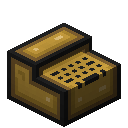
The keyboard allows key presses to be picked up by computers. Keyboards may be placed anywhere, as long as they're connected to the computer via a bus. CP/M does not support them.
To start typing on a keyboard, simply interact with it. Experienced typists will find they do not need to look at the keys while typing (you can still look around while using the keyboard). Interact again to stop using the keyboard.
Computers have to be shut down before installing or removing this component. Installing it while the computer is running will have no effect, removing it may lead to system errors.
Unlike the terminal screen, keyboards send key positions (scancodes), which the computer interprets using its own layout, defaulting to US. If that gives you the wrong characters, load a matching layout as described below.
OpenOS II
See the OpenOS II guide for general usage.
OpenOS II does not show a console on a projector, the keyboard has to be used by programs manually. Each key press arrives as a
key_down signal, each release as a key_up signal. Run keytest to see the values. In Lua:local event = require("event")local _, kbd, char, code = event.pull(nil, "key_down")char is the character as a number, -1 for keys without one. code matches the Linux key code.To load another layout,
us, de, fr or uk:cat /usr/share/keymaps/de.kmap > /dev/keymapThe layout is reset on the next reboot. Add it to
/.shrc to load it automatically.Linux
See the Linux guide for general usage.
The keyboard provides events via the
evdev system. Its primary use-case is in combination with a projector: key presses are sent to the terminal session displayed there, without additional configuration.To load another layout:
loadkmap < /usr/share/keymaps/de.bmapCheck that directory for a list of available layouts.